
Identify Your AirPods
Find out how to identify which generation of AirPods you have by using the model number. You can also find out how to identify the model of your AirPods charging case.
Find the Model Number
You can use the model number of your AirPods to find out which generation you have.
Look in Settings
- Go to Settings, then tap Bluetooth. Alternatively, go to Settings and tap your AirPods name.
- Find your AirPods in the list. If you can't see them, pair them to your device first.
- Tap the ⓘ More Info button next to your AirPods — the model number will be listed there.

Look on Your AirPods
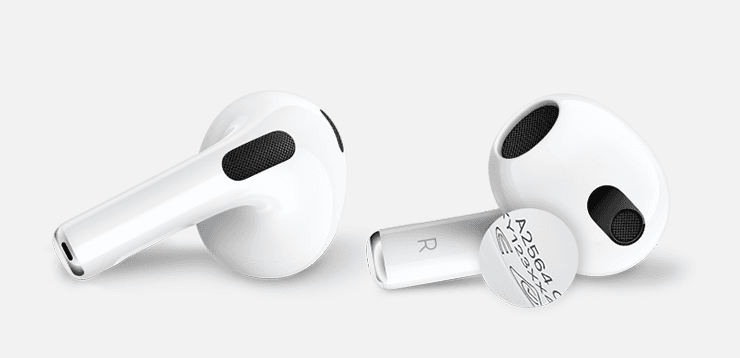
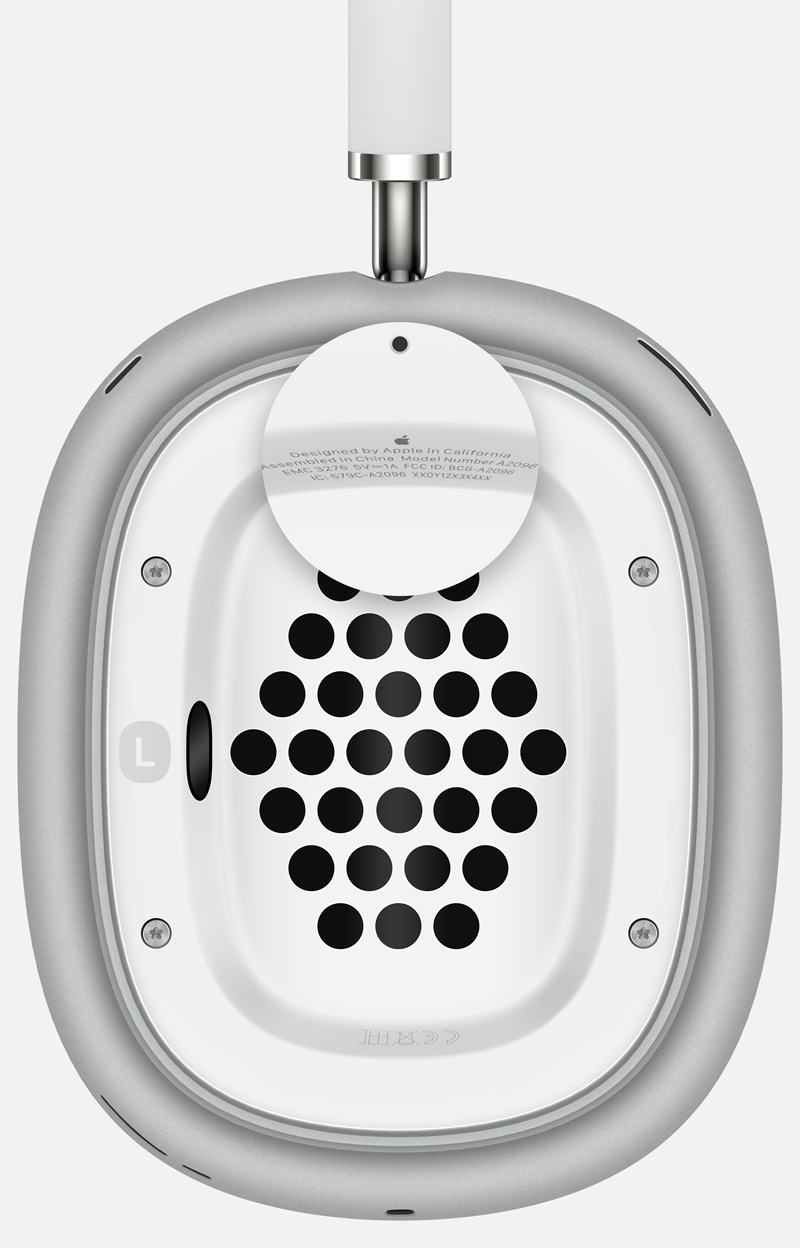
If you can't use Settings to get your model number, you can find it physically on your AirPods.
-
AirPods or AirPods Pro — the model number appears on the underside of each AirPod, starting with the letter A.
-
AirPods Max — the model number appears behind the cushion on the left ear cup.
Identify Your AirPods with the Model Number
Now you have the model number, use the table below to identify which AirPods you have. Click any row with → to shop that model:
| AirPods Model | Model Numbers | Year | |
|---|---|---|---|
| AirPods 2 We stock this | A2032 A2031 | 2019 | → |
| AirPods Pro 1 We stock this | A2084 A2083 | 2019 | → |
| AirPods 1 | A1523 A1722 | 2016 | |
| AirPods 3 | A2565 A2564 | 2021 | → |
| AirPods Pro 2 (Lightning) | A2931 A2699 A2698 | 2022 | → |
| AirPods Pro 2 (USB-C) | A3047 A3048 A3049 | 2023 | → |
| AirPods 4 | A3053 A3050 A3054 | 2024 | → |
| AirPods 4 (ANC) | A3056 A3055 A3057 | 2024 | → |
| AirPods Max 1 (Lightning) | A2096 | 2020 | |
| AirPods Max 1 (USB-C) | A3184 | 2024 | |
| AirPods Max 2 | A3454 | 2026 | |
| AirPods Pro 3 | A3063 A3064 A3065 | 2025 | → |
Identify Your Charging Case
Find out which AirPods charging case you have using the model number and details below. Click any card to shop that case:
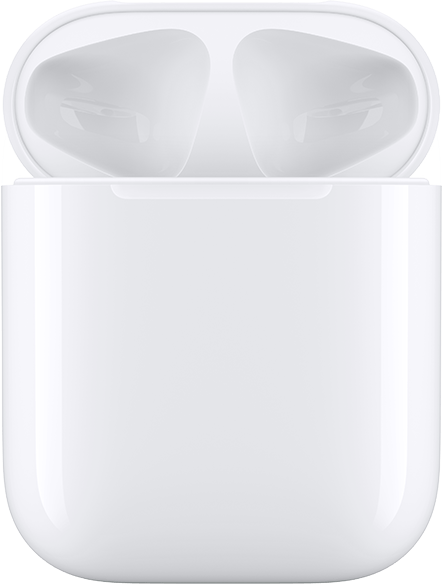
Lightning Charging Case
Works with AirPods 1 and AirPods 2. Lightning port on the bottom for plug-in charging. Status light is on the inside of the case. Serial number on underside of lid.
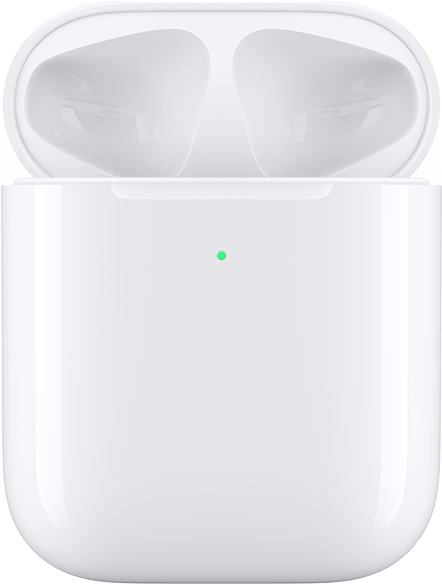
Wireless Charging Case
Works with AirPods 1 and AirPods 2. Qi-compatible wireless charging. Lightning port on the bottom. Status light is on the front of the case. Serial number on underside of lid.
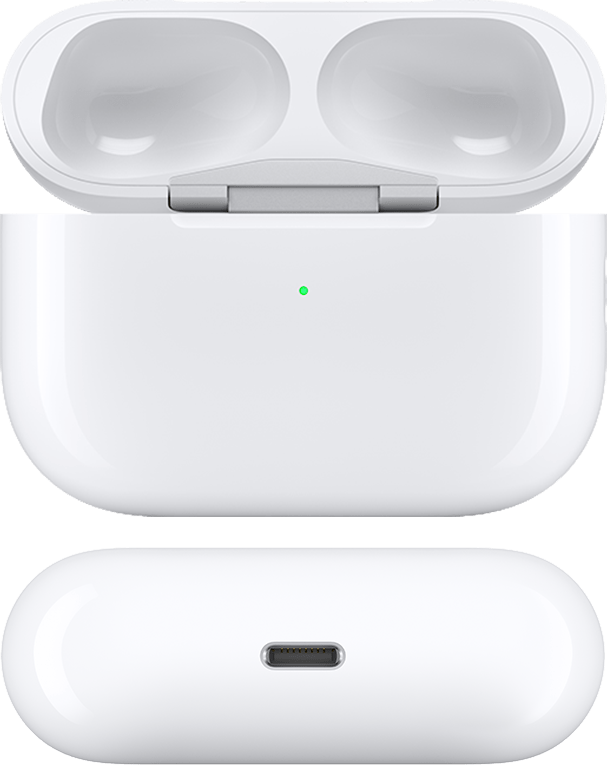
AirPods Pro 1 Charging Case / MagSafe Case
Works with AirPods Pro 1. Supports Qi wireless charging. Lightning port on the bottom. Status light on the front. Serial number on underside of lid.
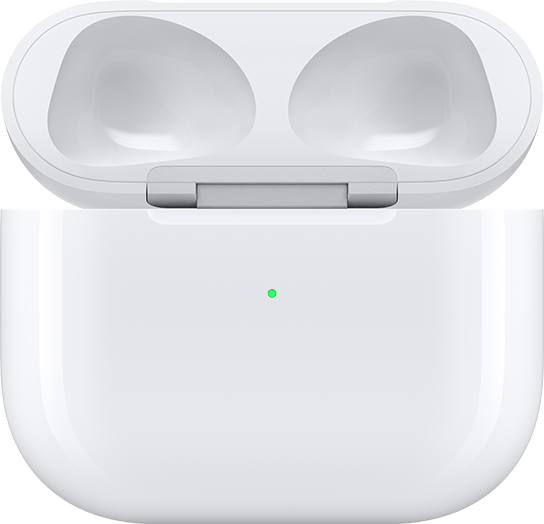
MagSafe / Lightning Charging Case for AirPods 3
Works with AirPods 3. MagSafe and Qi compatible. Lightning port on the bottom. Status light on the front. Serial number on underside of lid.
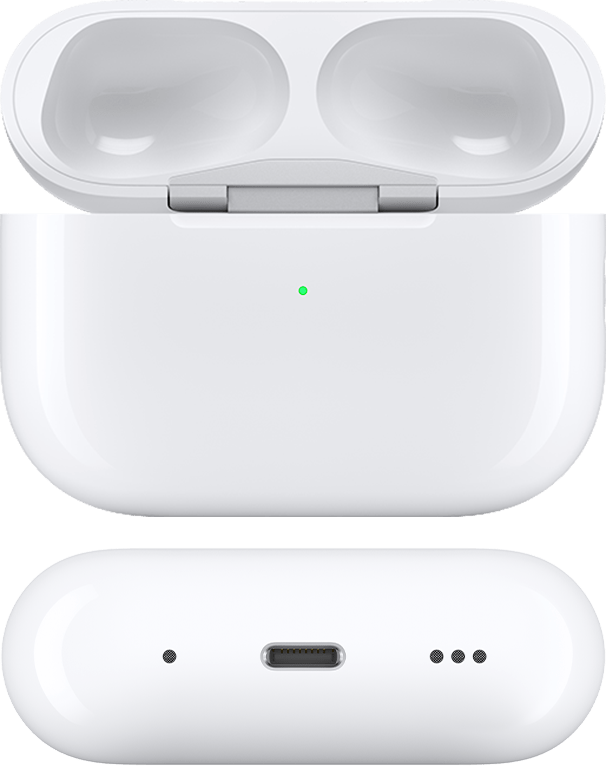
MagSafe Charging Case (Lightning) for AirPods Pro 2
Works with AirPods Pro 2. MagSafe and Qi compatible. Lightning port. External speaker on bottom. Lanyard loop on side. Status light on front.
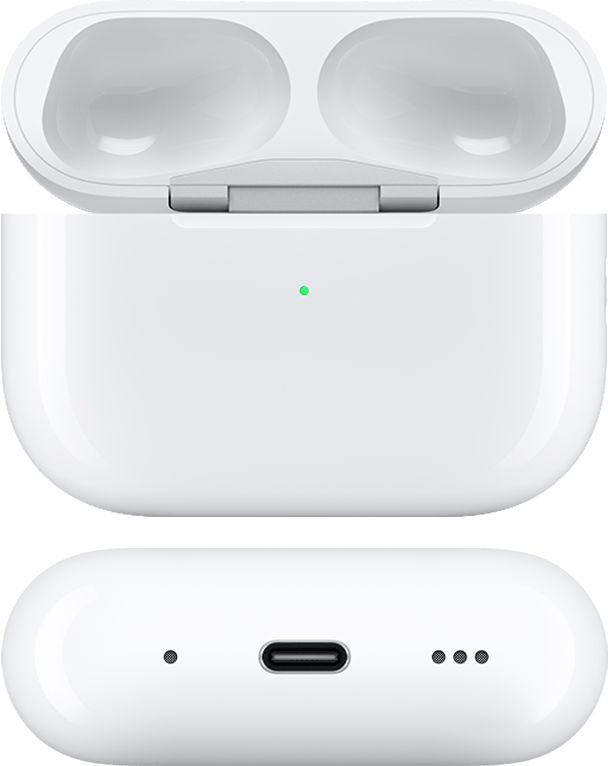
MagSafe Charging Case (USB-C) for AirPods Pro 2
Works with AirPods Pro 2. MagSafe and Qi compatible. USB-C port. External speaker on bottom. Lanyard loop on side. Status light on front.

MagSafe Charging Case for AirPods Pro 3
Works with AirPods Pro 3. MagSafe and Qi compatible. USB-C port. External speaker and lanyard loop. Status light on front.
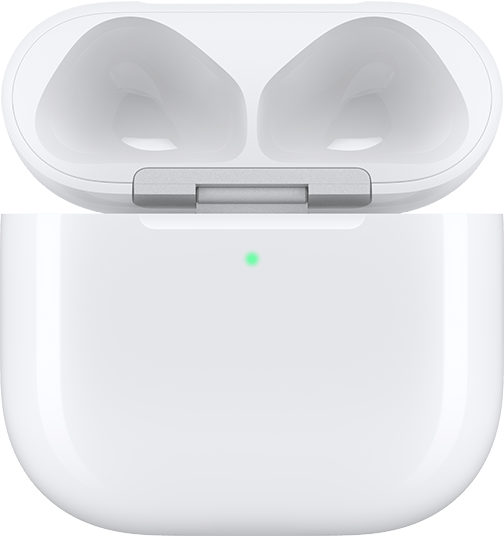
Charging Case for AirPods 4
Works with AirPods 4 earbuds only. USB-C port on the bottom. Status light on the front. Serial number on underside of lid. Not compatible with AirPods 4 (ANC) earbuds.

Wireless Charging Case for AirPods 4 (ANC)
Works with AirPods 4 (ANC) earbuds only. Qi-compatible wireless charging. USB-C port. External speaker on bottom. Status light on front. Not compatible with standard AirPods 4 earbuds.
Looking for the Serial Number?
You can find the serial number of your AirPods in the same place as the model number. Follow the steps at the beginning of this page. The serial number is printed right next to the model number.
Found your model? Shop your replacement now.
Select the correct generation and we'll get your genuine replacement to you fast — free UK delivery included.
Shop Replacements